TrendSpider Review & Discount 2026: 45% Off Every Plan
We tested the platform over several months — the full review is further down. First, the deal: there’s no coupon code to copy. The 45% discount is built into the checkout links on this page and is already in the cart when you land there. You won’t find this rate on TrendSpider’s own site.
Discount applies to your first billing period · Cancel anytime
TrendSpider pricing through this page
Every plan includes the entire platform and the same market data — the tier only changes your usage limits. Prices below are what you pay for your first billing period.
- All features & market data
- 5 workspaces, 5 trading bots
- 10 alerts (30 days)
- 1-min charts, 2-hr scans
- 25 Sidekick AI messages/mo
- All features & market data
- 10 workspaces, 10 trading bots
- 50 alerts (90 days)
- 5-min backtests, 10K depth
- 2 training sessions per year
- All features & market data
- 15 workspaces, 50 trading bots
- 100 alerts (180 days)
- 1-min backtests & scans, 20K depth
- Priority support
- All features & market data
- 20 workspaces, 100 trading bots
- 400 alerts (365 days)
- 30K backtest depth, 510 symbols/test
- Up to 52 training sessions per year
Quarterly and annual plans are charged as a single payment for the whole period, shown above as a per-month equivalent. The 45% applies to your first billing period, and annual billing already carries the lowest monthly rate before the discount. You can cancel before renewal.
Why there’s no coupon code to copy
This is a partner rate we’ve arranged with TrendSpider, not a public sale — so instead of a code anyone could paste, the 45% is carried by the checkout links on this page and applies the moment your cart loads. Open trendspider.com in a separate tab and you’ll be quoted the standard price. If you close this page before signing up, come back to it rather than going direct.
How to claim the coupon
Pick your plan
Standard, Premium, Enhanced or Advanced — then choose monthly, quarterly or annual billing.
Click your green button
It opens TrendSpider’s signup page with that exact plan selected and the 45% coupon already applied to the cart.
Check the discount is showing
You’ll see the reduced total before you pay. Create your account and you’re in — nothing to type or paste.
Every plan, every billing cycle
Each button opens checkout with that exact plan selected and the 45% already applied. Prices shown are what you pay for the first billing period.
Crossed-out figures are TrendSpider’s standard rate for the full billing period. Discounted prices are shown per month, with the amount actually charged today underneath. Real-time futures data ($7.50/mo) and professional US equities data ($29/mo) are optional add-ons on any plan.
Claude Opus 5 is now inside Sidekick AI
Anthropic’s newest frontier model is now a selectable option in TrendSpider’s AI agent — pointed not at the open internet, but at live charts, segment-level fundamentals, SEC filings, options activity and your actual portfolio.
Why traders pick TrendSpider
Every plan gets the full platform — the tier only changes how much of it you can run at once. Here’s what that means day to day.
Sidekick AI
An AI analyst that can see your charts, your fundamentals, every earnings transcript and your live broker positions — then act on what it finds by running scans, setting alerts and writing indicators.
Automated technical analysis
Trendlines, Fibonacci levels and chart patterns drawn for you, on every timeframe, updating as price moves. Plus Raindrop charts, 300+ indicators and multi-timeframe analysis on one screen.
Scanning & idea generation
Scan the market on a schedule or in real time, screen by your own strategy’s historical performance, and watch unusual options flow, insider buys and congressional trades in the same place.
Backtesting without code
Build a strategy from drop-down conditions, then test it across multiple symbols, timeframes and date ranges at once. Variance testing shows you whether an edge holds up or you got lucky on one chart.
Alerts, bots & broker orders
Dynamic alerts that follow your trendlines instead of a fixed price, no-code trading bots, and a connection to 30+ brokers and exchanges through SignalStack — including 5 free automated orders a month.
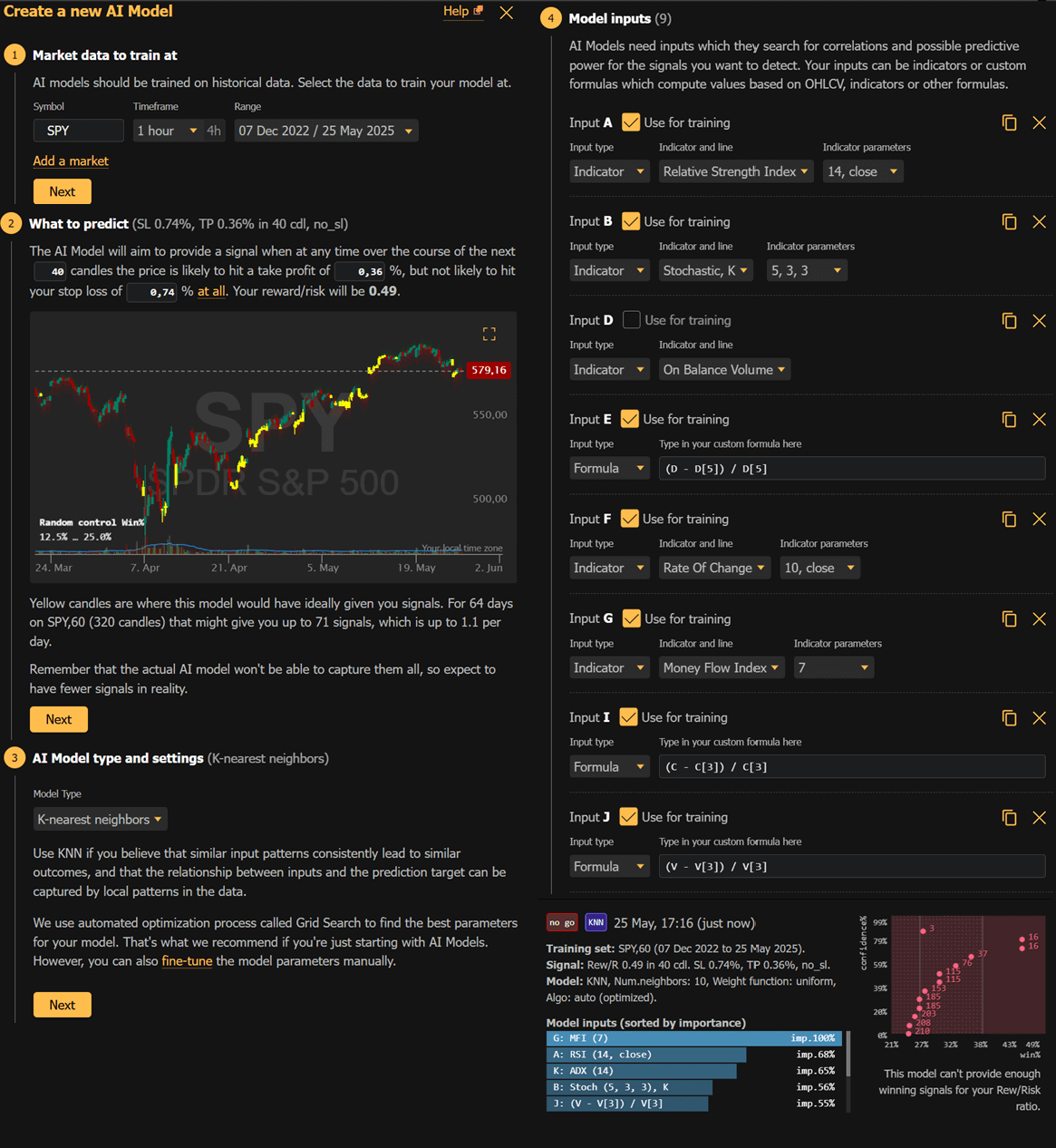
ML Quant Lab
Train machine-learning models on your own features, cross-breed the survivors, and deploy the winner straight onto charts, alerts and bots. No PhD and no Python required.
TrendSpider review: feature breakdown
Here’s each of those tools in detail, based on what we found testing the platform for our full TrendSpider review.
Sidekick AI
Most AI tools in trading platforms feel bolted on. Sidekick is different because it has direct access to the live data already inside TrendSpider, including charts, scanner results, news and earnings reports. You can ask it to review a setup you are looking at, screen for stocks that match specific criteria, or help you improve the logic behind a backtest. It works conversationally, so you refine your request the same way you would in a back-and-forth with a colleague. The practical upside is that research tasks that used to take 20 to 30 minutes can be done in a fraction of the time.

AI Coding Assistant
Building a custom indicator used to require either coding knowledge or paying someone who had it. The AI Coding Assistant removes that barrier entirely. You type a description of what you want the indicator to do, and the tool writes the code, validates it and applies it to your chart. You can keep refining it through conversation: change the colour, adjust the lookback period, add a second condition. The same workflow applies to scanners and trading bots.
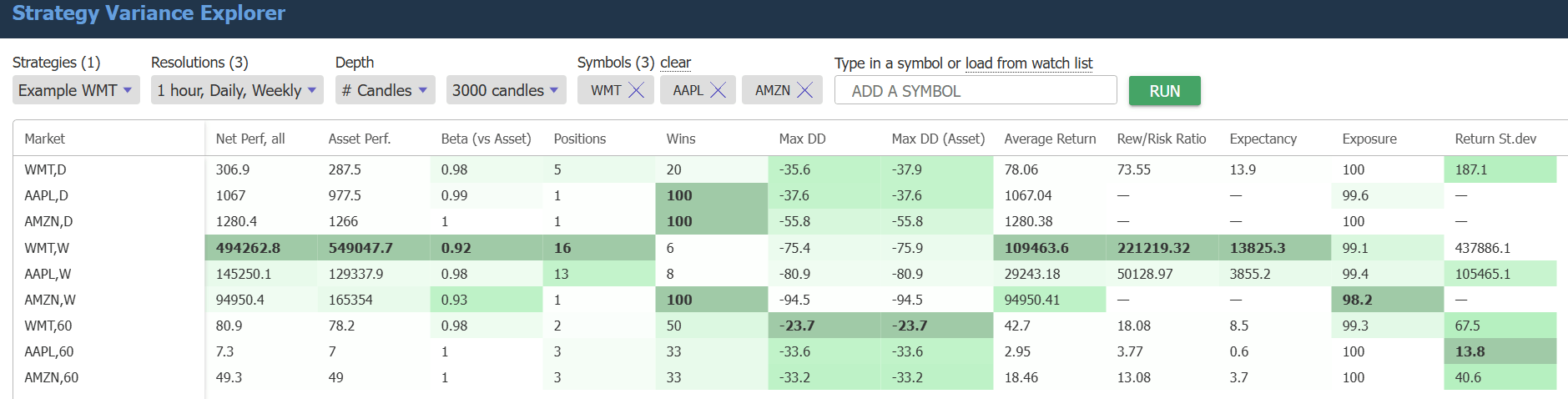
Strategy Variance Explorer
Standard backtesting shows you how a strategy performed on one symbol at one timeframe. The Strategy Variance Explorer runs the same strategy across multiple symbols and timeframes simultaneously and returns a full comparison table in seconds. You can test up to 30,000 candles on a one-minute chart, layer in stop loss and trailing stop conditions, and watch winning and losing trades plotted directly on the chart. For anyone who wants to know whether a strategy holds up across different market conditions before putting real money behind it, this is the most valuable tool on the platform.
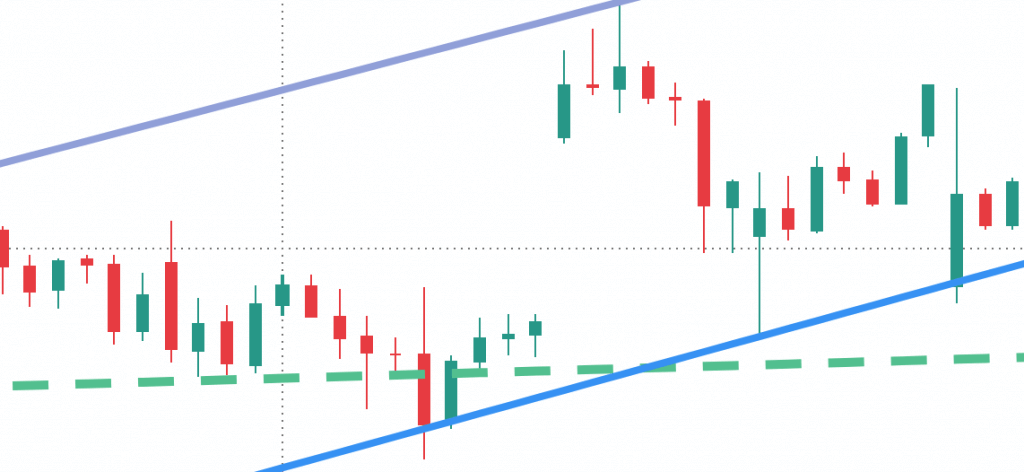
Automated technical analysis
TrendSpider calculates trendlines, Fibonacci retracement levels and candlestick patterns automatically using exact price data rather than visual approximations. The difference matters in practice: automated trendlines are drawn consistently, without the bias that comes from manually picking swing highs and lows. Pattern detection runs in real time, so you get an alert when a pattern forms rather than noticing it during a post-session review.
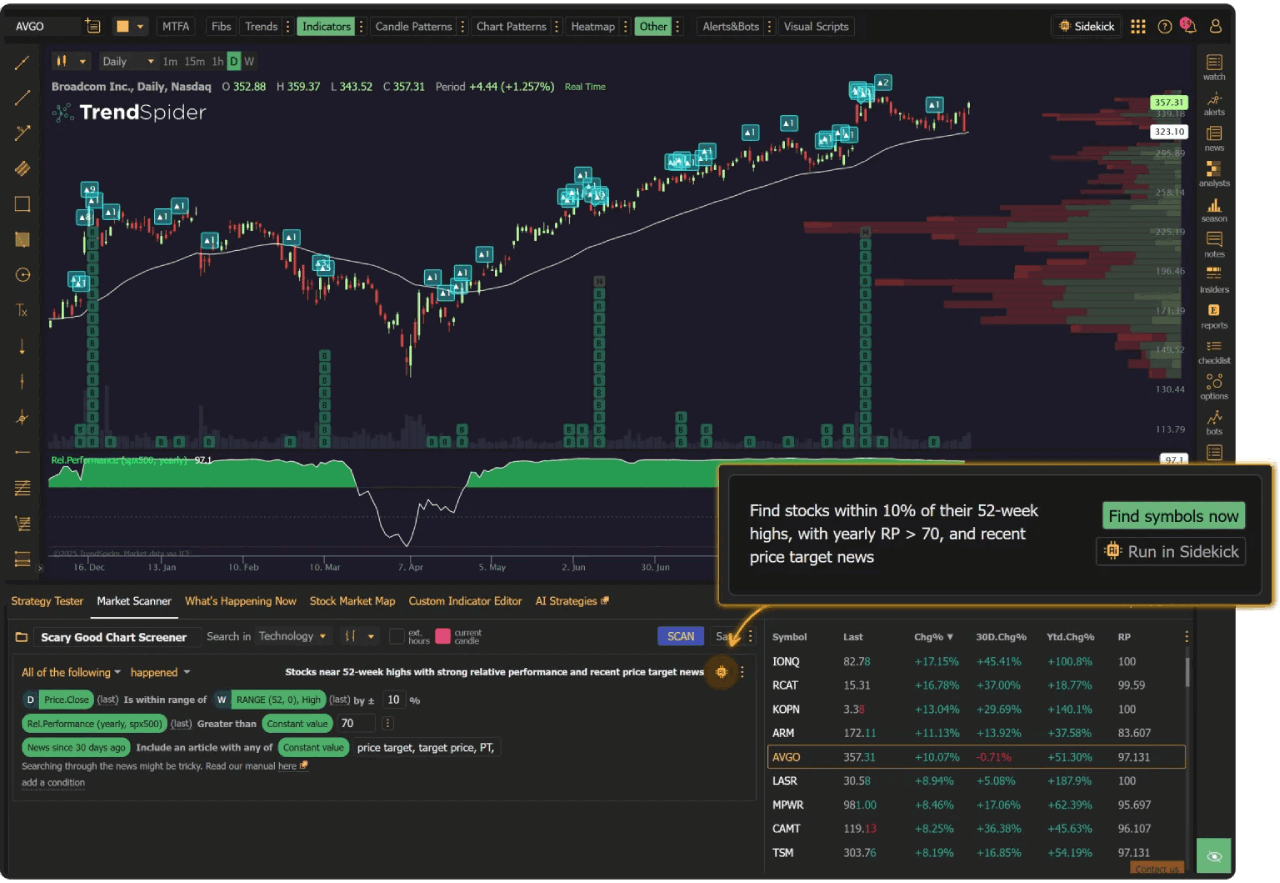
Plain-language market scanner
Setting up a scanner traditionally means configuring filters, selecting conditions and running tests to confirm the logic is right. TrendSpider’s scanner accepts natural language instead. You type something like “show me S&P 500 stocks with rising volume approaching the 200-day moving average” and the platform returns results with no manual configuration. Sidekick can then pick up where the scanner leaves off, analysing the results and flagging which setups deserve a closer look.
Trading bots and automation
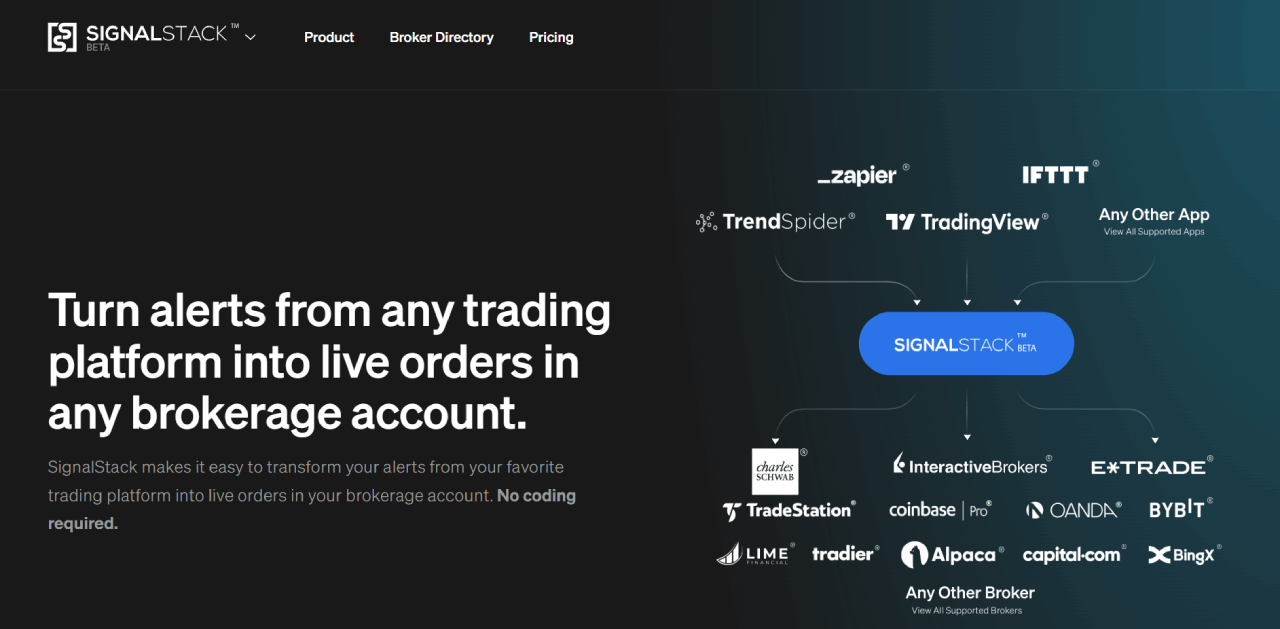
Once you have validated a strategy in the backtesting tools, you can deploy it as a live trading bot through SignalStack. The bot monitors the market according to your rules, sends signals to your connected broker and notifies you when trades open or close. Supported brokers include Interactive Brokers, TradeStation, Tradovate, Robinhood and cTrader among others. A free SignalStack tier covers up to five positions a month, which is enough for initial testing before scaling up.
External data via API
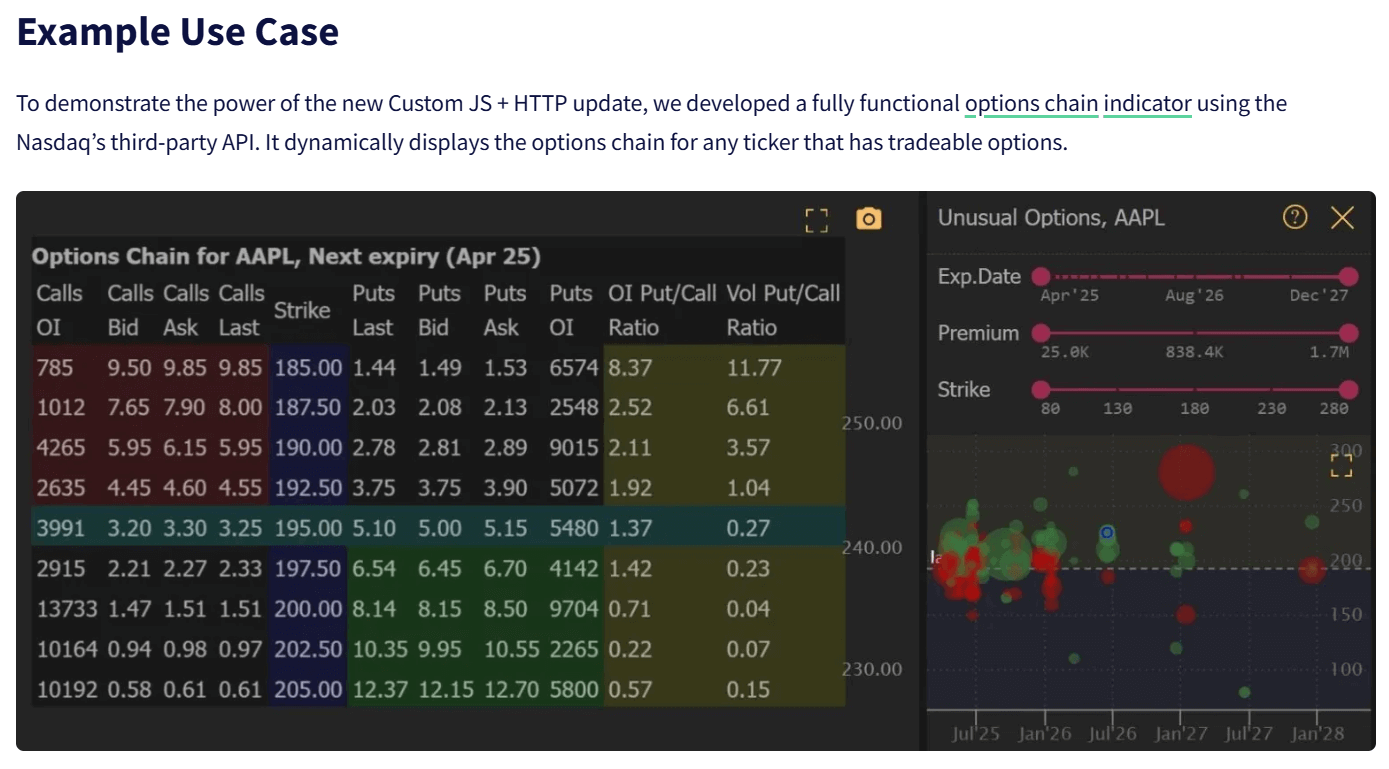
TrendSpider supports direct connections to external data sources through API integration. You can pull in CBOE market data, social sentiment feeds, news from services like Benzinga and other third-party data sets. Once connected, that data is available inside custom indicators and bots alongside the native market data already in the platform — useful for anyone who wants alternative data in their process.
All of it is included on every plan.
Premium Annual works out at $50.05 a month for the first year instead of $91 — no coupon code to enter.
What we liked, and what we didn’t
No platform is right for everyone. These are the points that came up repeatedly over several months of testing.
- AI assistant with live market data access, not just general knowledge
- Write custom indicators by describing what you want in plain text
- Backtest across multiple symbols and timeframes at the same time
- Trendlines, Fibonacci levels and candlestick patterns drawn automatically
- US stocks, futures, crypto and forex covered in one place
- Live trading bots connect to most major brokers
- 14-day full-access trial from $19
- No free plan available at all
- Takes time to learn given the breadth of features
- No data for international (non-US) equity markets
- Live order execution requires a separate broker account
Frequently asked questions
Is there a TrendSpider coupon code? +
Can I get this price by going to TrendSpider directly? +
How do I know the coupon applied? +
Which plans does it work on? +
Monthly, quarterly or annual — which is actually cheapest? +
Does TrendSpider offer a free trial? +
Can I cancel, and what’s the refund policy? +
Are there extra fees on top of the subscription? +
Do all plans include the same features? +
Ready to use your 45% coupon?
Premium Annual is where most traders land — the full platform at $50.05 a month for the first year instead of $91. No code to enter.
Get Premium Annual — 45% offWant a different plan? All twelve discounted links are above.
Advertiser Disclosure
How we make money: Trading Tool Finder is an independent review site that earns compensation through affiliate partnerships with the companies featured here. When you click our links and complete certain actions (such as starting a trial or subscribing), we may receive a commission.
This revenue model keeps our content free while we research, test, and review trading tools.
Editorial independence: Compensation does not influence our assessments. Reviews are based on features, ease of use, support, pricing, and overall value, and reflect our genuine opinions.
If you have questions about how we review products or our advertiser relationships, please contact us.